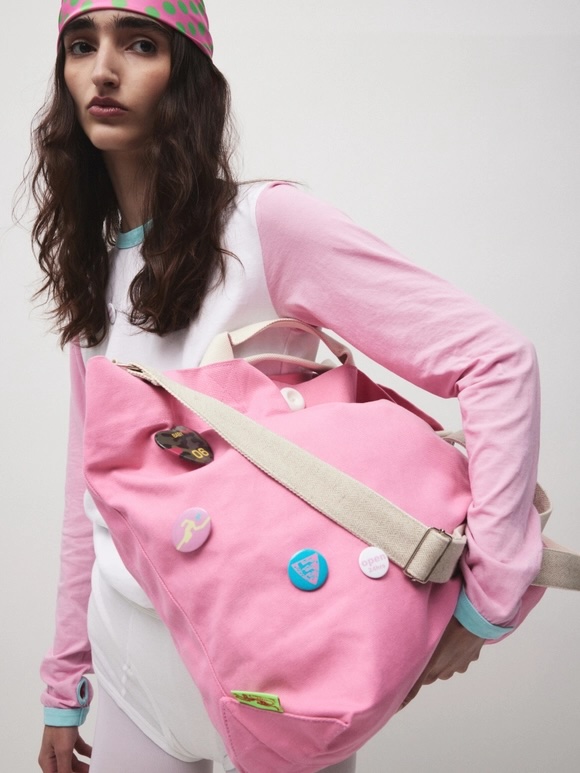
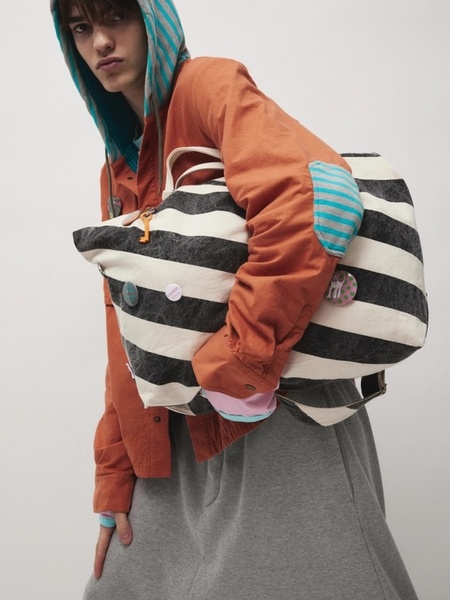
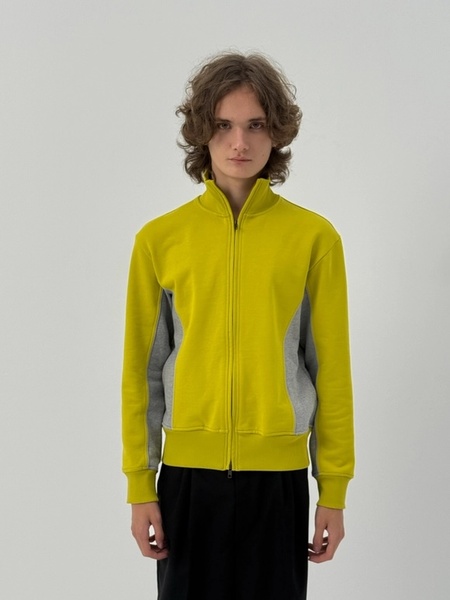
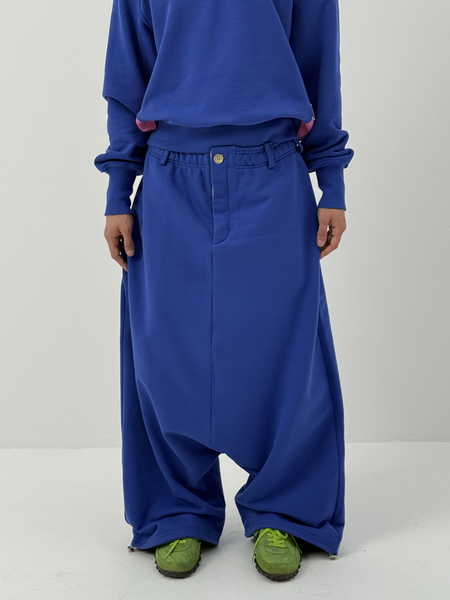
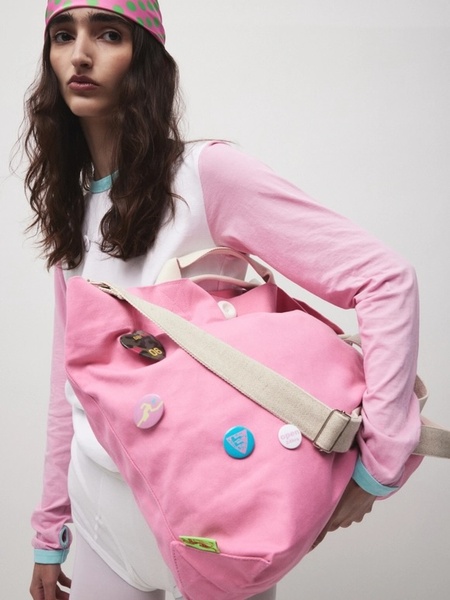
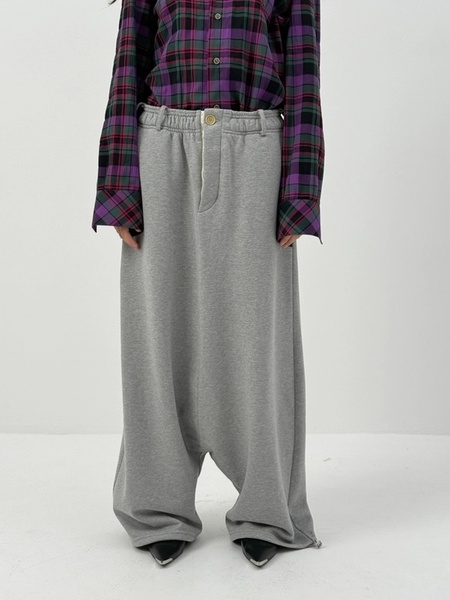
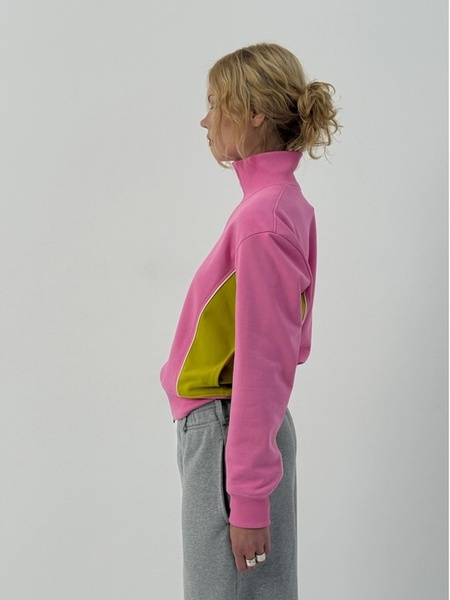
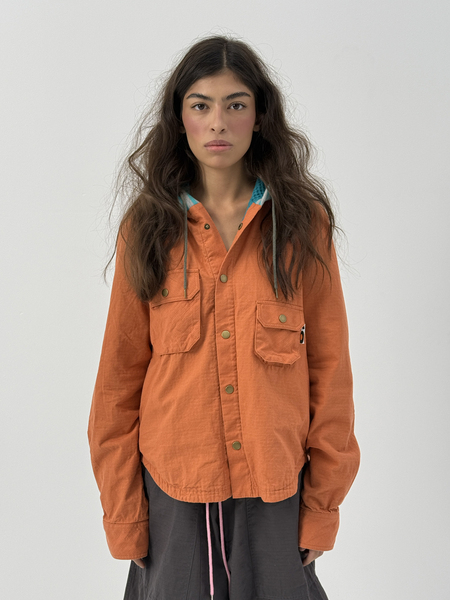
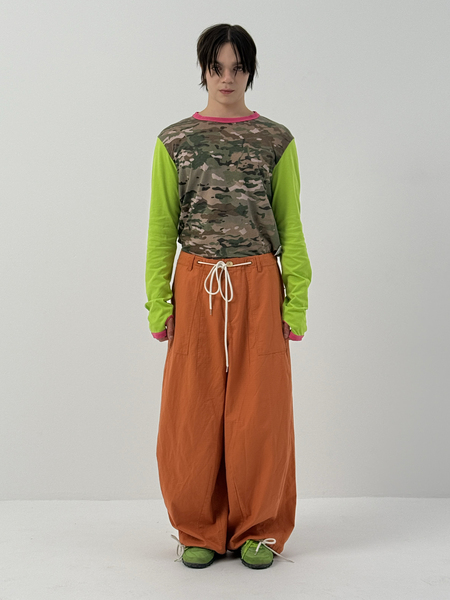
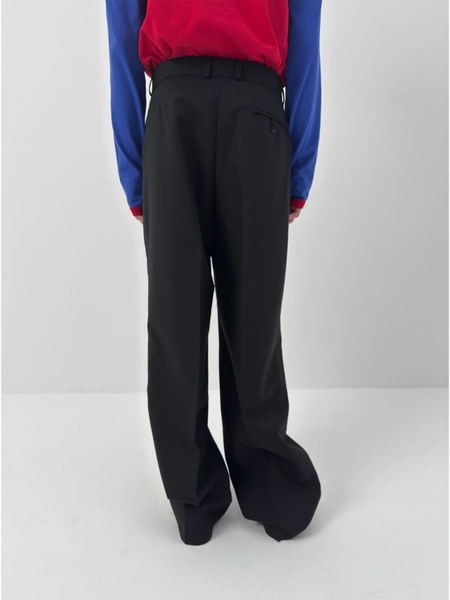
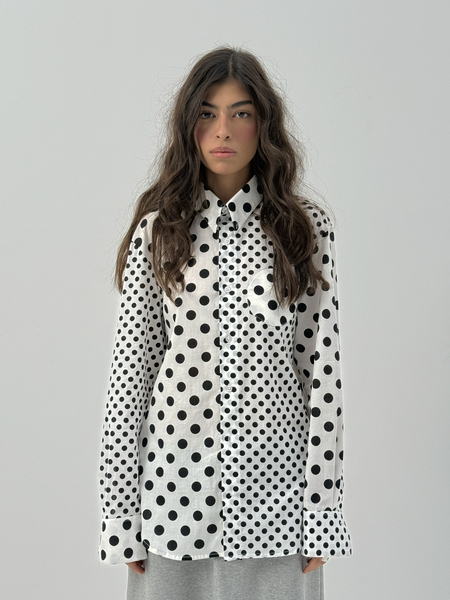
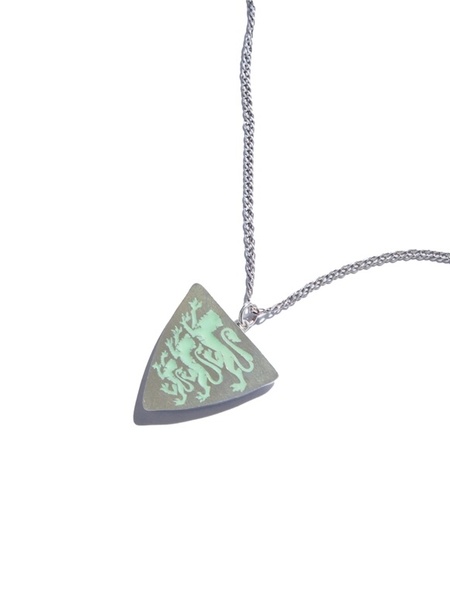
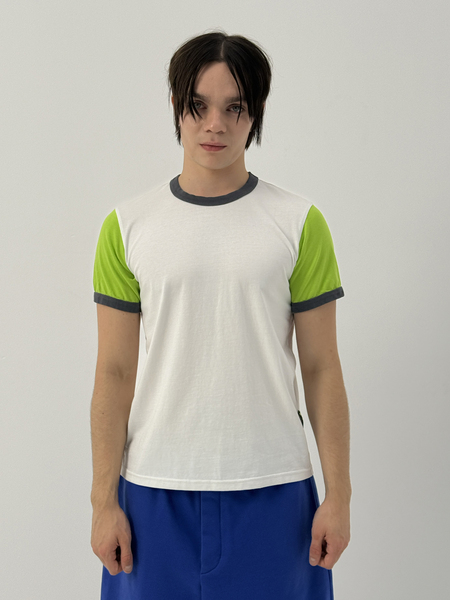
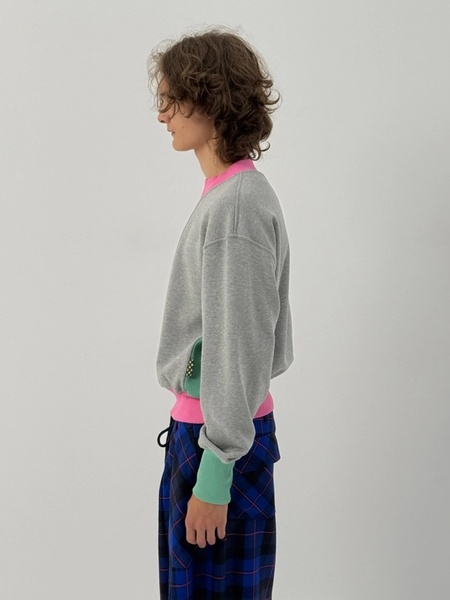
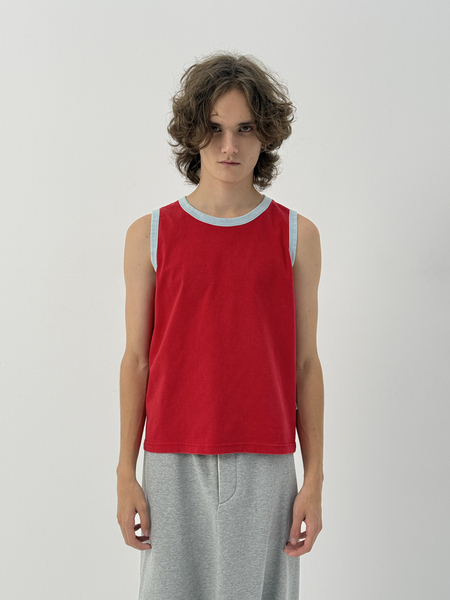
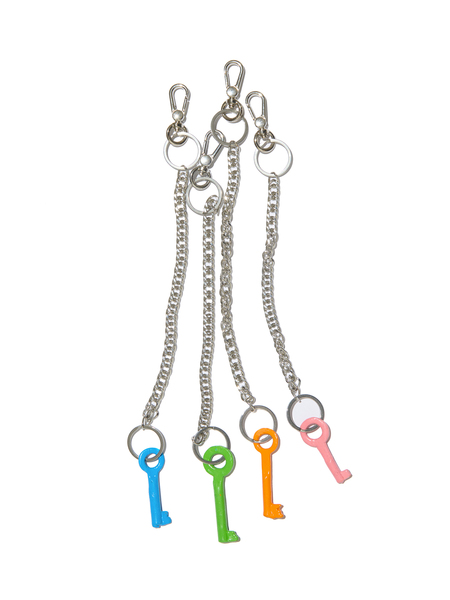
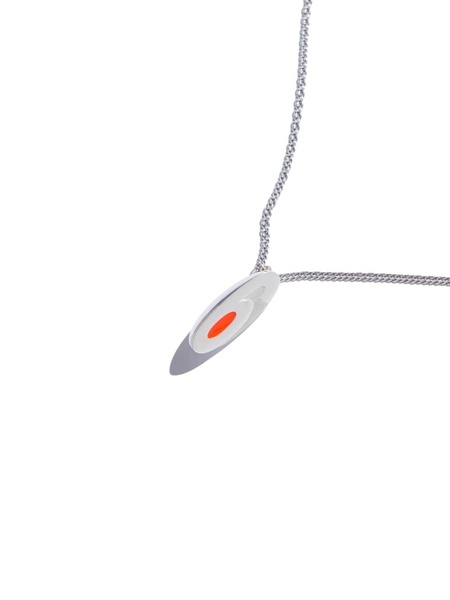
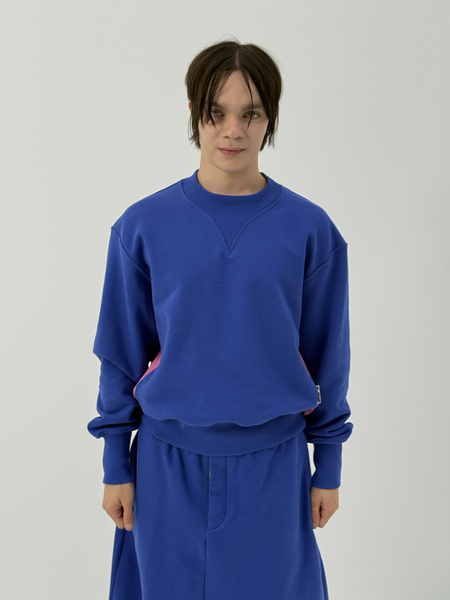
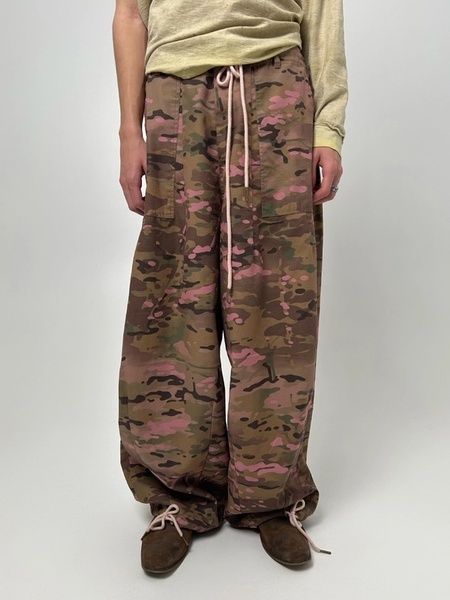
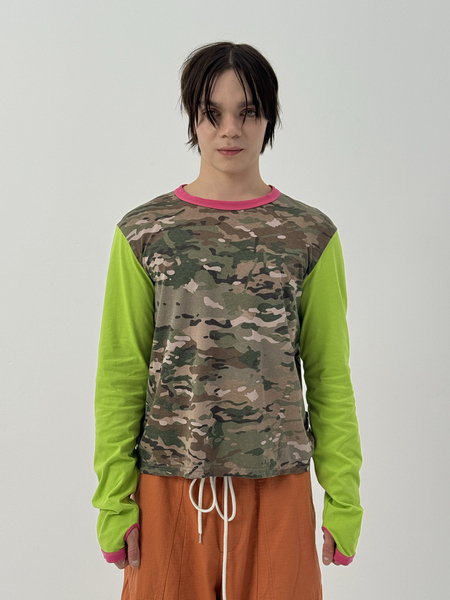
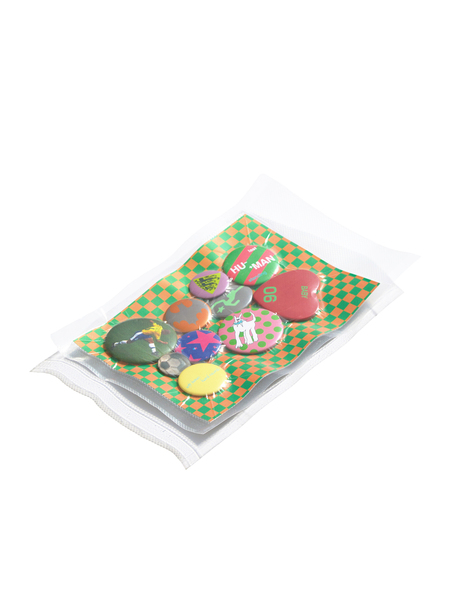
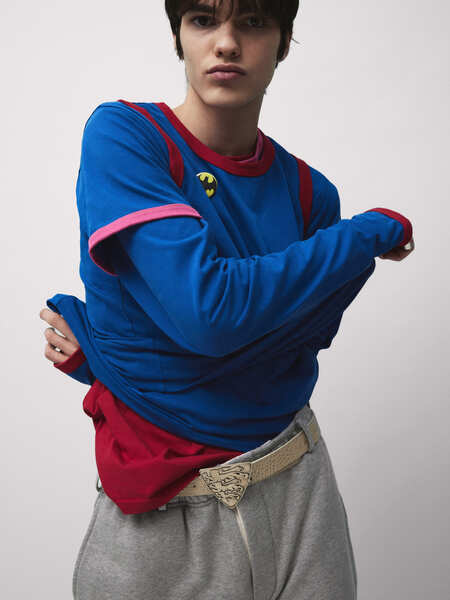
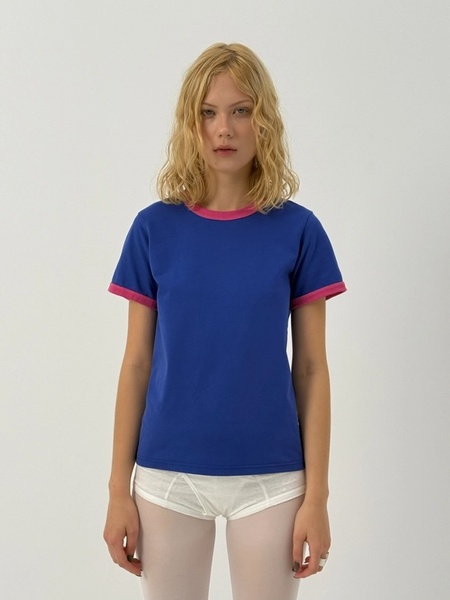
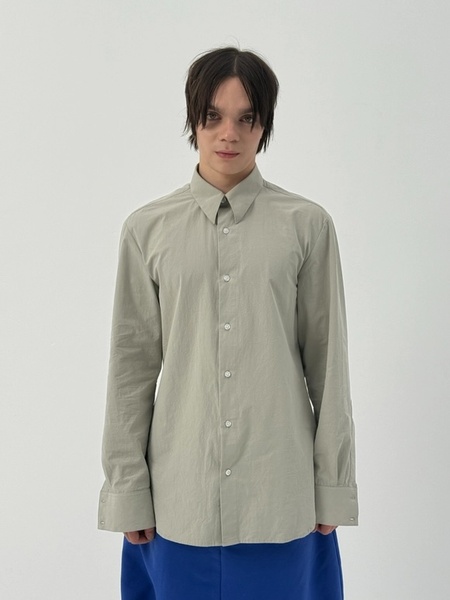
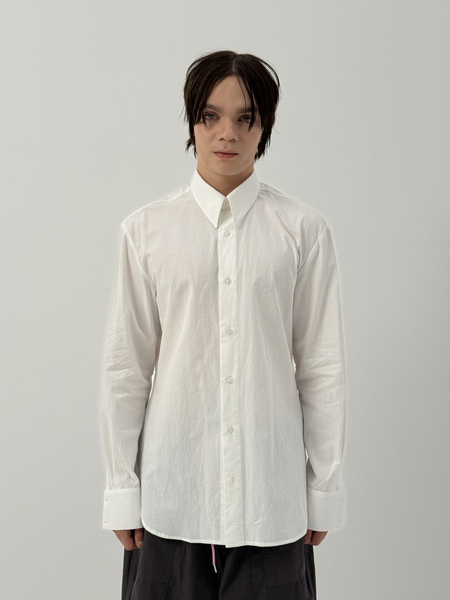
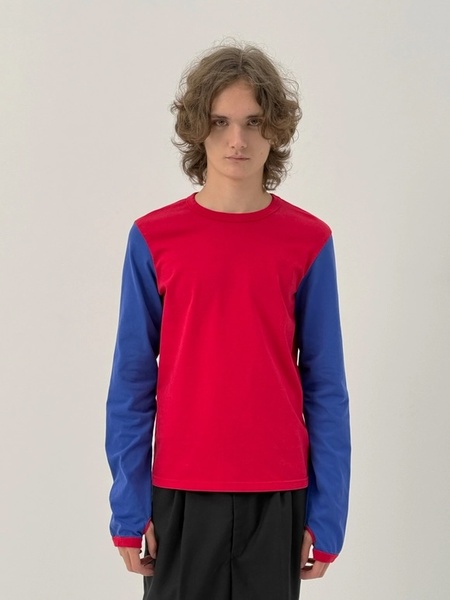
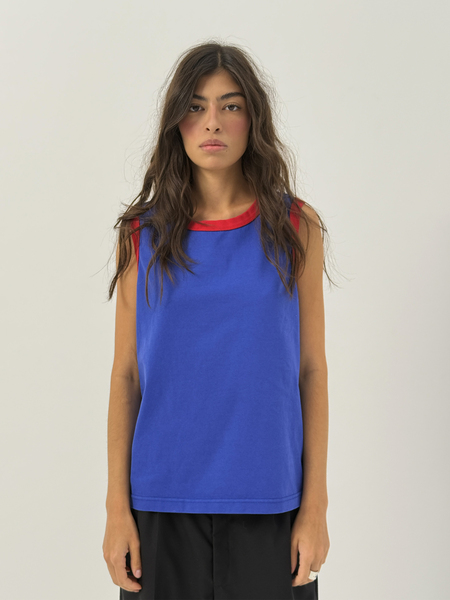
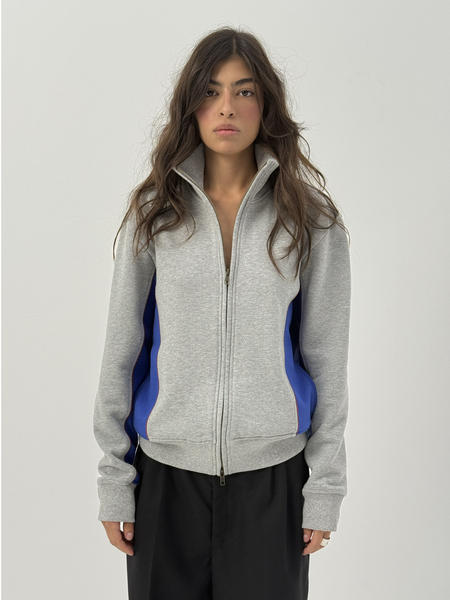
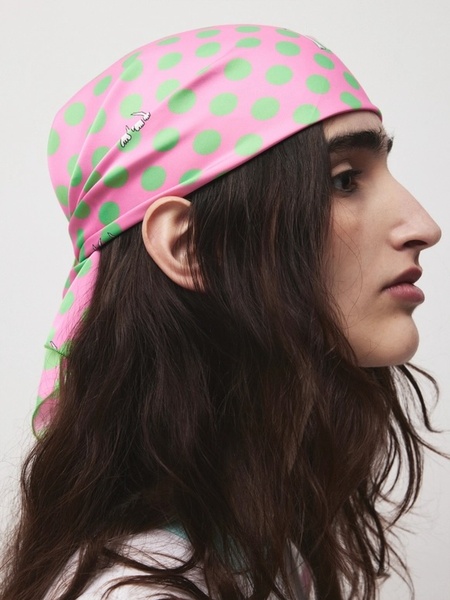
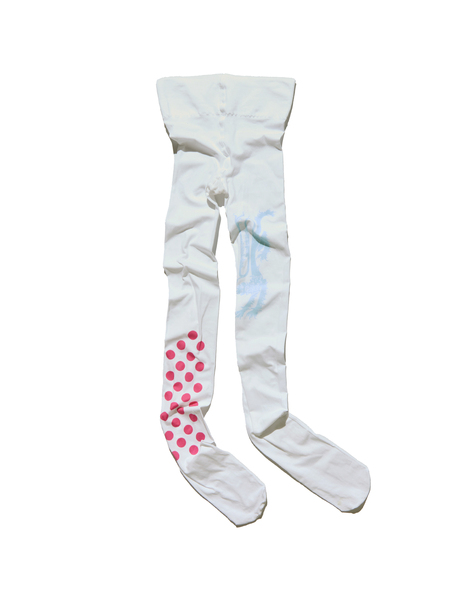
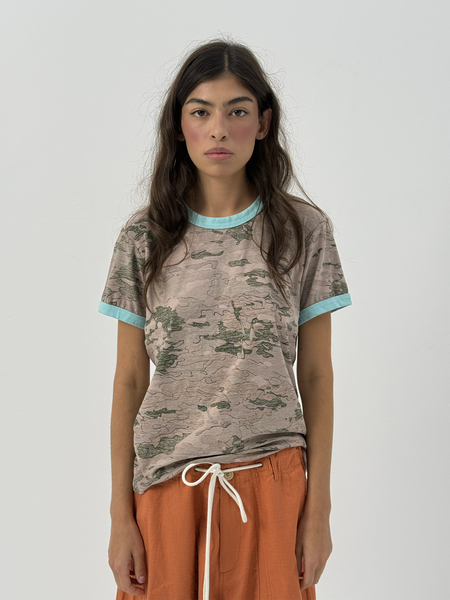
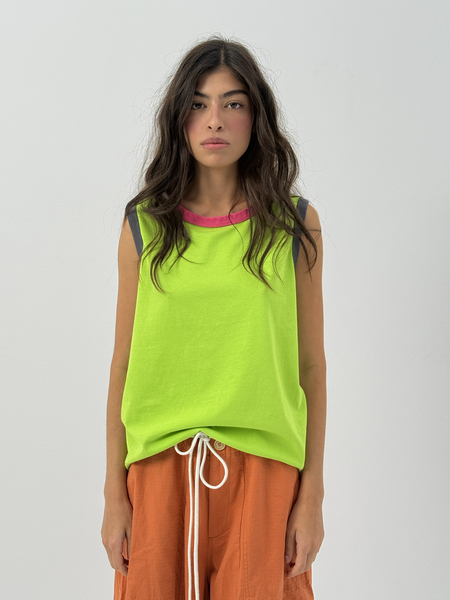
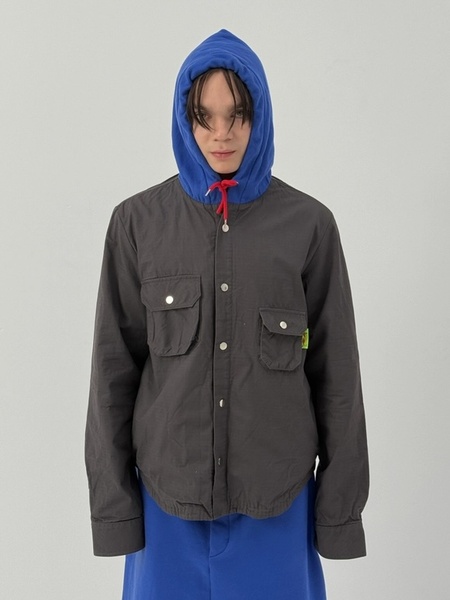
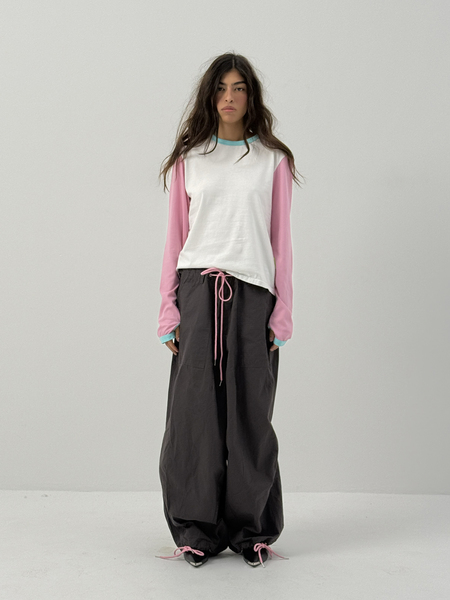
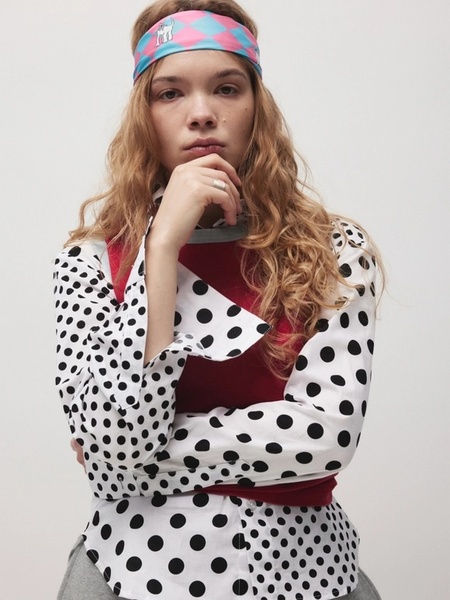
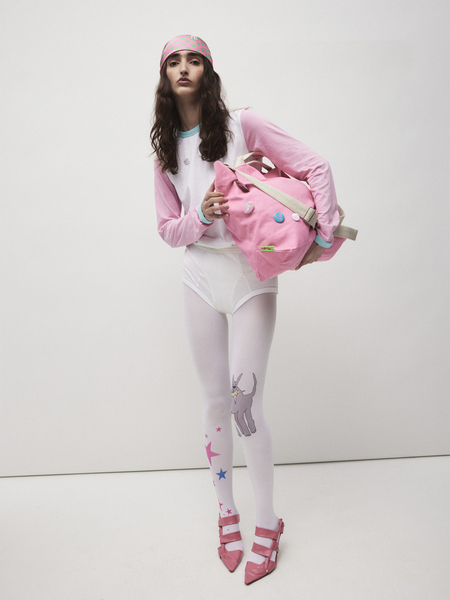
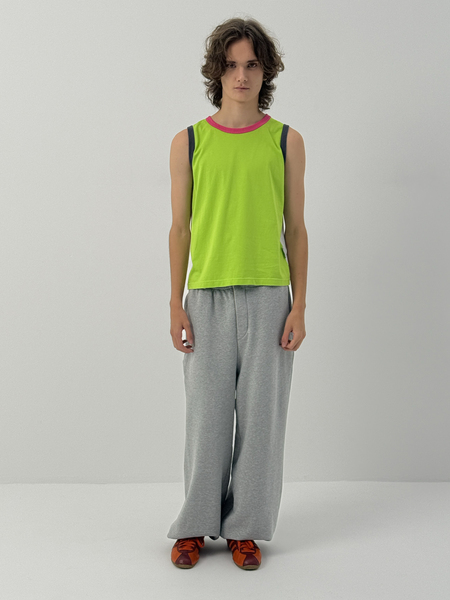
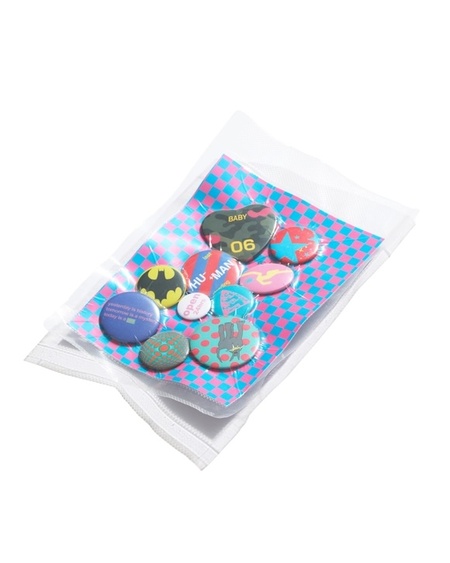
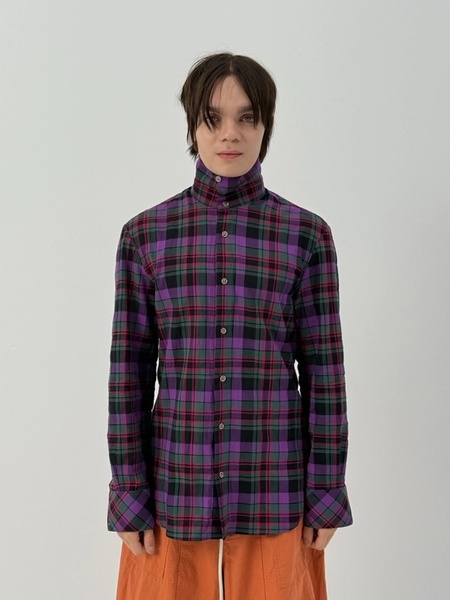
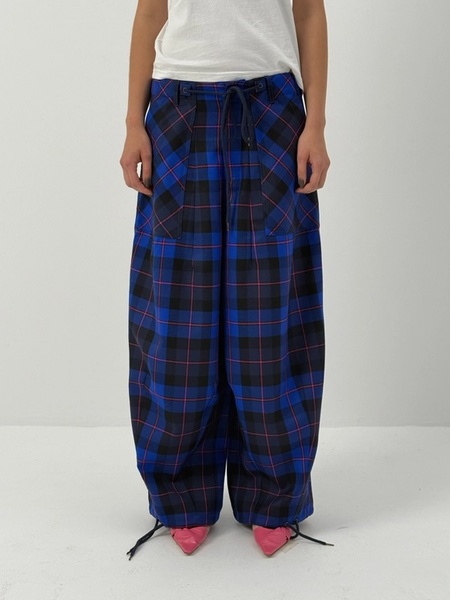
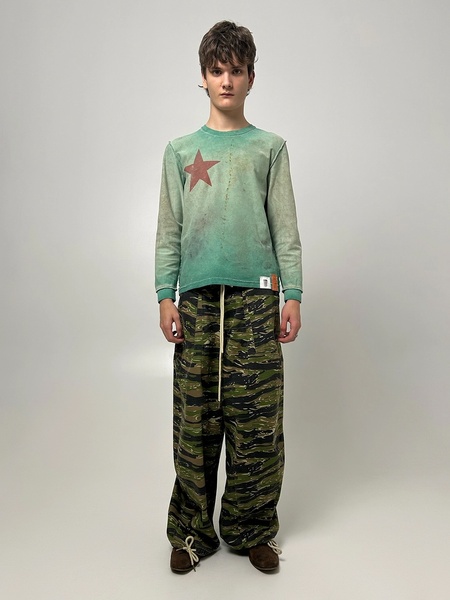
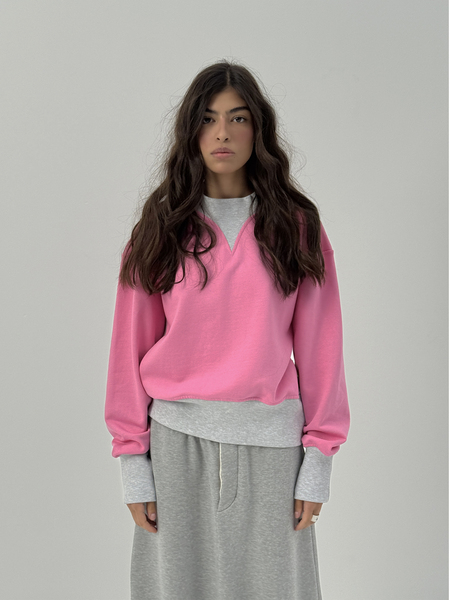
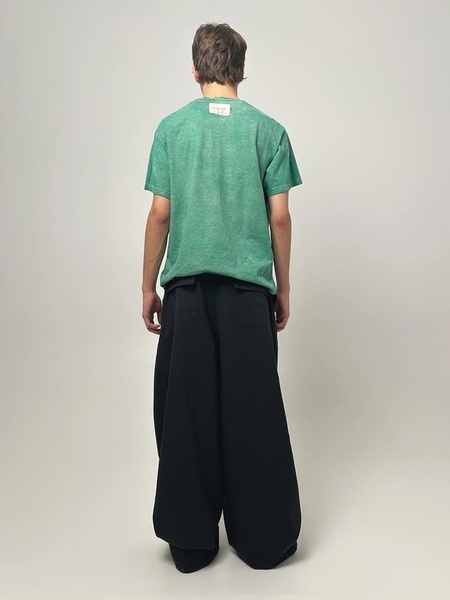
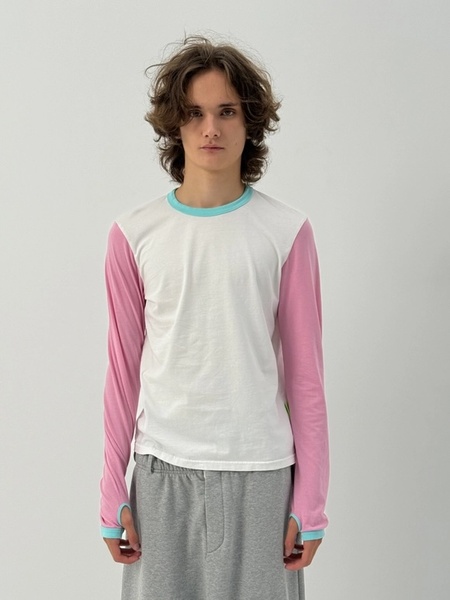
Motto — шестая сезонная коллекция Siniy Vsadnik. Почти все силуэты в ней новые для марки: исключение — только CEO pants и Monks pants. Линия дополнена аксессуарами (серебряные кольца, подвески и ремни с неогеральдическими пряжками) и объемными сумками из плотного выстиранного канваса. Тематически коллекция сочетает «детский взгляд на цвета и вещи» и мотив «спартакиады будущего» [источник].
«Изначально мы задумывали это не как коллекцию, а как небольшой список постоянных предметов вне сезона. Но в процессе работы все начало складываться в историю. Чаще идею обслуживают эстетика и технология, а здесь получилось наоборот. Технология впитала эстетику и мысли. И из этого родились смыслы, чему сопротивляться мы не стали и решили все доработать и выпустить цельный сезон».
Siniy Vsadnik представила новую сезонную коллекцию Fall 2025, включающую в себя уникальные силуэты и аксессуары. Проект включает объемные сумки из плотного выстиранного канваса и аксессуары с неогеральдическими пряжками, созданные в рамках темы «детского взгляда на цвета и вещи».
Chervonsky Fashion brand представил вещи в съемке Soap Opera для PAP Magazine. Съемка включала одежду от других брендов, таких как Number31, Puma и Alexander McQueen.
Tendraube Fashion brand представила профайл российского бренда нижнего белья, основанного в 2022 году Евой Осипенковой и Елизаветой Соловьевой. Проект включает описание коллекций, философию бренда и упоминания в медиа, в том числе в изданиях The Blueprint и Buro 24/7.
Авторы Дэя Шамрай и Богдан Лебедев создали рейтинг российских брендов по уровню копирования, анализируя подделки на маркетплейсах и проводя социальный опрос. Проект включает исследование подделок брендов вроде ГОША РУБЧИНСКИЙ и Planta Rosa, а также разработку интерактивного стенда для HSE FASHION DAYS.
We use cookies to improve the operation of the HSE website and to enhance its usability. More detailed information on the use of cookies can be fou...
Show more
Press space bar to start a drag.
When dragging you can use the arrow keys to move the item around and escape to cancel.
Some screen readers may require you to be in focus mode or to use your pass through key
Press space bar to start a drag.
When dragging you can use the arrow keys to move the item around and escape to cancel.
Some screen readers may require you to be in focus mode or to use your pass through key
Press space bar to start a drag.
When dragging you can use the arrow keys to move the item around and escape to cancel.
Some screen readers may require you to be in focus mode or to use your pass through key
Press space bar to start a drag.
When dragging you can use the arrow keys to move the item around and escape to cancel.
Some screen readers may require you to be in focus mode or to use your pass through key
Press space bar to start a drag.
When dragging you can use the arrow keys to move the item around and escape to cancel.
Some screen readers may require you to be in focus mode or to use your pass through key
Press space bar to start a drag.
When dragging you can use the arrow keys to move the item around and escape to cancel.
Some screen readers may require you to be in focus mode or to use your pass through key
Press space bar to start a drag.
When dragging you can use the arrow keys to move the item around and escape to cancel.
Some screen readers may require you to be in focus mode or to use your pass through key
Press space bar to start a drag.
When dragging you can use the arrow keys to move the item around and escape to cancel.
Some screen readers may require you to be in focus mode or to use your pass through key
Press space bar to start a drag.
When dragging you can use the arrow keys to move the item around and escape to cancel.
Some screen readers may require you to be in focus mode or to use your pass through key
Press space bar to start a drag.
When dragging you can use the arrow keys to move the item around and escape to cancel.
Some screen readers may require you to be in focus mode or to use your pass through key
Press space bar to start a drag.
When dragging you can use the arrow keys to move the item around and escape to cancel.
Some screen readers may require you to be in focus mode or to use your pass through key
Press space bar to start a drag.
When dragging you can use the arrow keys to move the item around and escape to cancel.
Some screen readers may require you to be in focus mode or to use your pass through key
Press space bar to start a drag.
When dragging you can use the arrow keys to move the item around and escape to cancel.
Some screen readers may require you to be in focus mode or to use your pass through key
Press space bar to start a drag.
When dragging you can use the arrow keys to move the item around and escape to cancel.
Some screen readers may require you to be in focus mode or to use your pass through key
Press space bar to start a drag.
When dragging you can use the arrow keys to move the item around and escape to cancel.
Some screen readers may require you to be in focus mode or to use your pass through key
Press space bar to start a drag.
When dragging you can use the arrow keys to move the item around and escape to cancel.
Some screen readers may require you to be in focus mode or to use your pass through key
Press space bar to start a drag.
When dragging you can use the arrow keys to move the item around and escape to cancel.
Some screen readers may require you to be in focus mode or to use your pass through key
Press space bar to start a drag.
When dragging you can use the arrow keys to move the item around and escape to cancel.
Some screen readers may require you to be in focus mode or to use your pass through key
Press space bar to start a drag.
When dragging you can use the arrow keys to move the item around and escape to cancel.
Some screen readers may require you to be in focus mode or to use your pass through key
Press space bar to start a drag.
When dragging you can use the arrow keys to move the item around and escape to cancel.
Some screen readers may require you to be in focus mode or to use your pass through key
Press space bar to start a drag.
When dragging you can use the arrow keys to move the item around and escape to cancel.
Some screen readers may require you to be in focus mode or to use your pass through key
Press space bar to start a drag.
When dragging you can use the arrow keys to move the item around and escape to cancel.
Some screen readers may require you to be in focus mode or to use your pass through key
Press space bar to start a drag.
When dragging you can use the arrow keys to move the item around and escape to cancel.
Some screen readers may require you to be in focus mode or to use your pass through key
Press space bar to start a drag.
When dragging you can use the arrow keys to move the item around and escape to cancel.
Some screen readers may require you to be in focus mode or to use your pass through key